
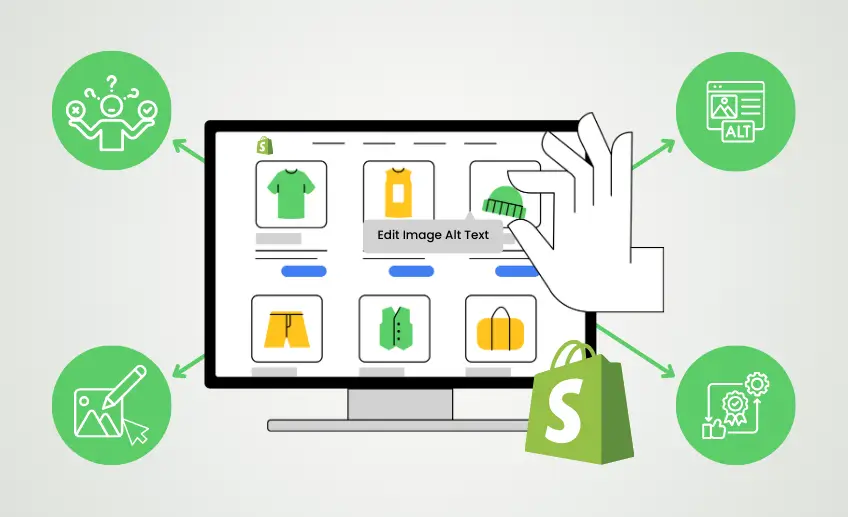
Imagine launching a new product on your Shopify store and realizing that your product images are not fully optimized for search engines. Many merchants overlook alt text, which can limit how well their images appear in Google Image search results and reduce potential traffic.
According to a HubSpot case study, optimizing image alt text helped boost image traffic by 779% in under a year. Google also emphasizes that the alt text attribute is “the most important attribute when it comes to providing more metadata for an image”.
For a Shopify store with dozens or hundreds of product images, editing alt text one by one is not just time-consuming; it is a missed opportunity to improve SEO and accessibility.
In this blog, you will learn how to bulk edit image alt text in Shopify for better SEO, saving time while improving your store’s visibility.
We will cover why alt text matters, common challenges merchants face, practical bulk update methods, and best practices to make your image SEO more effective.
Why Alt Text for Product Images Is So Important
Before diving into the details, let’s take a look at the main ways alt text makes a difference.
SEO Value
Alt text helps search engines understand the content of your images, improving your store’s visibility. Key benefits include:
- Makes your images appear in Google Image search results
- Provides additional keyword relevance for your product pages
- Supports better overall SEO performance for your store
Accessibility
Alt text ensures that all visitors, including those using screen readers, can understand your product images. It helps create an inclusive shopping experience where visually impaired users can navigate and make informed decisions easily.
User Experience
Descriptive alt text improves the shopping experience for everyone by clearly communicating what’s shown in your images. It reduces confusion, builds trust, and helps customers find exactly what they are looking for in your store.
Alt Text Challenges for Shopify Merchants
Even with the best intentions, merchants often run into several obstacles when managing alt text across their store.
Large Product Catalogs
Managing alt text for hundreds or thousands of images can quickly become overwhelming. Manually updating each image is time-consuming and can easily lead to inconsistencies or missed opportunities.
Manual Editing Limitations
Shopify’s default image editor only allows changes to one image at a time, which makes bulk updates tedious. Merchants often struggle to maintain efficiency when updating alt text across their store.
Inconsistent Alt Text
Without a system in place, alt text can become inconsistent, with some images missing descriptions or using repetitive wording. This inconsistency can hurt SEO and reduce the clarity of your product pages.
Technical Constraints
Advanced methods like scripts or third-party tools require technical knowledge that many merchants don’t have. These barriers make it difficult to implement bulk changes without the right tools or support.
Methods for Bulk Editing Alt Text in Shopify
There are several ways to update your image alt text efficiently, depending on your store size and workflow.
1. Using Shopify’s CSV Export/Import Feature
Shopify provides a built-in CSV export and import feature that allows merchants to update multiple product image alt texts at once without editing each image individually. This method is useful if you are comfortable working with spreadsheets and want a manual but organized approach.
Steps to update alt text using CSV:
- Log in to your Shopify admin and go to Products > All products.
- Click Export at the top-right corner.
- Choose whether to export all products or selected products, then click Export products.
- Open the CSV file in a spreadsheet editor like Excel or Google Sheets.
- Locate the column labeled Image Alt Text or Alt.
- Update the alt text for your product images directly in the spreadsheet.
- Save the CSV file after making your changes.
- Return to Shopify, click Import, and upload your updated CSV file.
- Confirm the import settings and start the import process.
- Once complete, your product images will have the updated alt text in bulk.
Tip: Double-check the changes in your product pages to ensure everything is imported correctly.
Limitations:
- It can be time-consuming for very large catalogs
- Requires comfort with spreadsheets and CSV files
- Easy to make errors if columns are modified incorrectly
- Does not automate alt text generation
2) Using SEOpilot AI
SEOpilot AI makes bulk editing alt text effortless for Shopify merchants. With just a few clicks, you can automatically generate SEO-friendly alt text for all your product images, saving hours of manual work. The app ensures consistency across your store, improves search visibility, and allows you to focus on other aspects of your business without worrying about image optimization.
|
Automates Alt Text Creation for all Product Images .myshopify.com Try it for less than the price of a coffee |
3) Using Third-Party APIs and Custom Scripts
For merchants with technical expertise, third-party APIs or custom scripts offer a flexible way to update alt text in bulk. This approach can handle large catalogs and complex workflows that may not be possible with Shopify’s built-in tools. However, it requires coding knowledge and careful handling to avoid errors.
Limitations:
- Requires technical skills or developer support
- Higher risk of mistakes if scripts are misconfigured
- Not as user-friendly as Shopify CSV or SEOpilot AI
- Maintenance may be needed when Shopify updates its platform
Best Practices for Alt Text Optimization
Following a few simple best practices can make your alt text more effective for SEO and user experience.
Be Descriptive but Concise
Your alt text should clearly describe what the image shows in a few words. Focus on giving enough detail to inform both search engines and users without overloading the text.
Include Relevant Keywords Naturally
Incorporate keywords where appropriate, but avoid forcing them. The goal is to help SEO while keeping the description natural and readable for shoppers.
Avoid Redundancy
Each image should have a unique alt text that reflects its content. Repeating the same phrases across multiple images can harm SEO and reduce clarity for customers.
Reflect the Image Content Accurately
Make sure the alt text matches exactly what’s shown in the image. Accurate descriptions improve accessibility and help customers make better purchasing decisions.
Wrapping Up
Taking control of your product image alt text can make a real difference in how your Shopify store performs. Consistently optimized alt text improves SEO, helps your customers understand your products, and makes your store more accessible to everyone.
SEOpilot AI simplifies this process, letting you update alt text in bulk without spending hours on manual edits. By incorporating these practices into your regular workflow, you can save time and ensure your images are always working to support your store’s growth.
Start implementing these strategies today and make your product images a stronger asset for both search engines and your customers.