

Your Shopify store is live, products are ready, but weeks pass and hardly anyone visits.
Many new store owners face this challenge because the platform hosts millions of stores, making it difficult for new businesses to stand out. Research from 2025 shows that Shopify has over 6.6 million active stores, which highlights how competitive the environment has become.
Without SEO, even high-quality products and a professional design may go unnoticed. Optimizing your store ensures that search engines can find, understand, and present your products to people actively looking for them.
This guide provides 10 SEO tips specifically for new Shopify stores. Each tip offers actionable steps to help your store appear in search results, attract more potential customers, and increase the chances of converting visits into sales.
1. Focus on Keyword Research That Matches Buyer Intent
Every successful Shopify store begins with understanding what potential customers are searching for. Not all search terms are equally valuable. Some visitors are simply browsing, while others are ready to make a purchase. For a new store, focusing on keywords that indicate buying intent can bring visitors who are more likely to convert.
Start by listing the types of products you sell and thinking about the phrases customers might use to find them. Long-tail keywords, which are more specific and descriptive, often perform better for new stores because competition is lower. For instance, instead of targeting “running shoes,” a new store could use “best marathon running shoes for women”
You can use tools such as Google Keyword Planner, Ahrefs, or SEMrush to find relevant keywords, understand search volume, and see the level of competition. These tools help you identify opportunities without guesswork.

2. Optimize Product Pages for Search and Conversion
A well-optimized product page can make the difference between a visitor leaving or completing a purchase. Start with clear, descriptive product titles that accurately reflect the item. Each product description should be unique, highlighting key features, specifications, and benefits in a concise, easy-to-read format. Structured descriptions help customers make informed decisions while giving search engines context about your products.
Images also play a critical role. Use high-quality visuals and add descriptive alt text for each image, which improves accessibility and helps search engines understand the content. Including customer reviews and ratings also enhances credibility and adds fresh content to the page.
SEOpilot AI can support these efforts by generating optimized meta titles and descriptions for your product pages and suggesting alt text for images. It can also scan your store and highlight on-page SEO improvements, helping ensure that each product page meets best practices without manually reviewing every detail.
| Generate Optimized Titles & Descriptions for Product Pages
.myshopify.com |
3. Create a Clean and Logical Site Structure
A clear site structure helps both visitors and search engines navigate your Shopify store. Organize your products into categories and subcategories that make sense for your audience. For example, a store selling sports equipment could have main categories like “Running,” “Cycling,” and “Fitness,” with subcategories for specific items such as “Running Shoes” or “Yoga Mats.”
Use a consistent navigation menu so users can quickly find what they are looking for. Breadcrumbs on product pages can further improve navigation and provide context to search engines. Keeping URLs simple and descriptive, matching the category and product hierarchy, also supports search engines in understanding your store.
Link related products and collections internally. Internal linking helps users discover more of your store and allows search engines to index your pages more effectively. Avoid deep nesting of categories; most products should be accessible within three clicks from the homepage.
4. Publish SEO-Optimized Blog Content
Publishing blog content can drive organic traffic to your Shopify store by answering questions your potential customers are searching for. Focus on creating posts that are relevant to your products and audience, providing valuable insights or solutions. For example, a store selling kitchen appliances could write about “How to Choose the Right Blender for Smoothies” or “Tips for Maintaining Your Coffee Maker.”
Each blog post should have a clear and descriptive title, a meta description that summarizes the content, and headings that structure the article for readability. Incorporate keywords naturally into the content, but avoid overstuffing. Internal links to product pages or related blog posts help guide readers deeper into your store while improving SEO.
5. Improve Site Speed and Mobile Experience
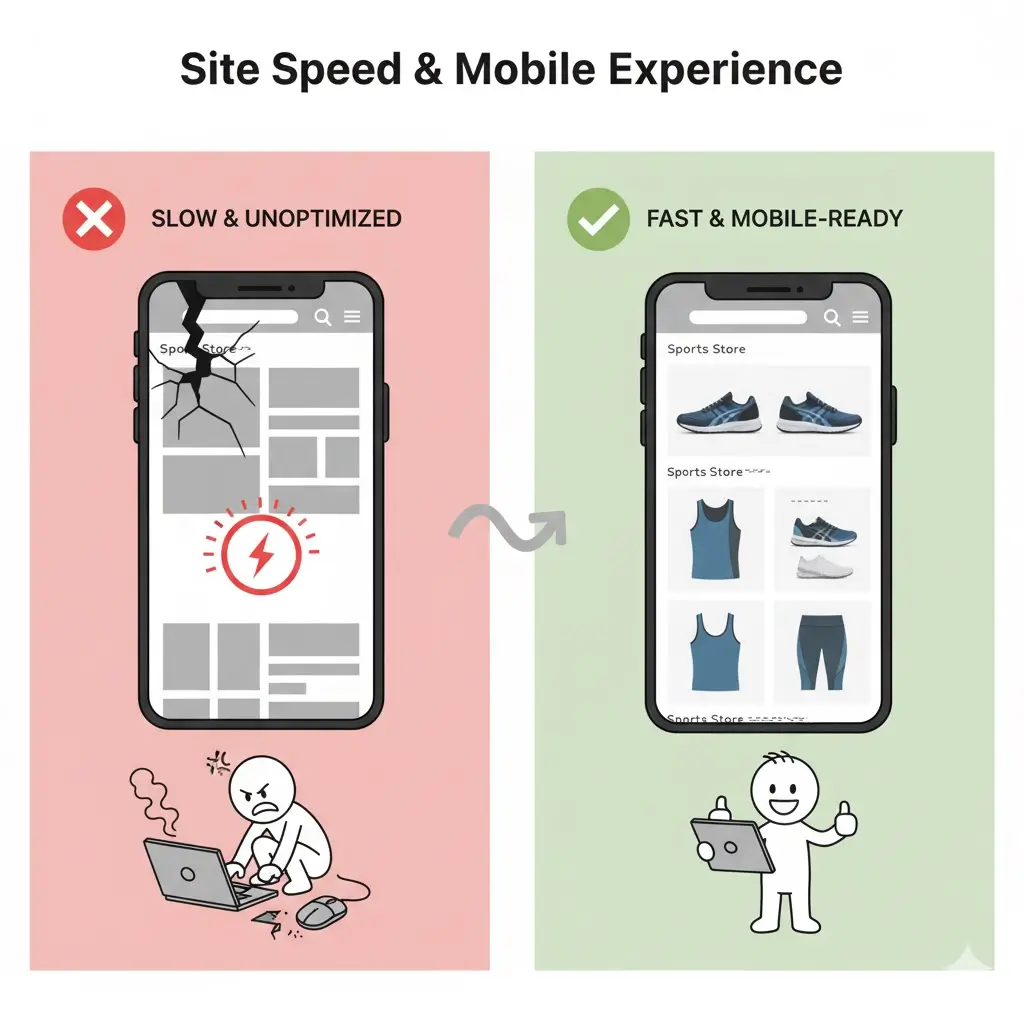
A fast-loading website and a smooth mobile experience are crucial for keeping visitors engaged and improving search rankings. Slow pages frustrate users and increase bounce rates, while a mobile-friendly design ensures customers can browse and purchase easily from any device.
Start by optimizing images. Compress large images without losing quality and use modern formats such as WebP. Implement lazy loading so images and videos load only when visible on the screen. Minimize the use of heavy scripts and apps that can slow down your store.
Choose a responsive Shopify theme that automatically adjusts layouts for different screen sizes. Test your store on multiple devices to ensure buttons, menus, and forms are easy to use. Tools like Google PageSpeed Insights or GTmetrix can help identify performance issues and provide guidance for improvements.
6. Use Schema Markup and Structured Data
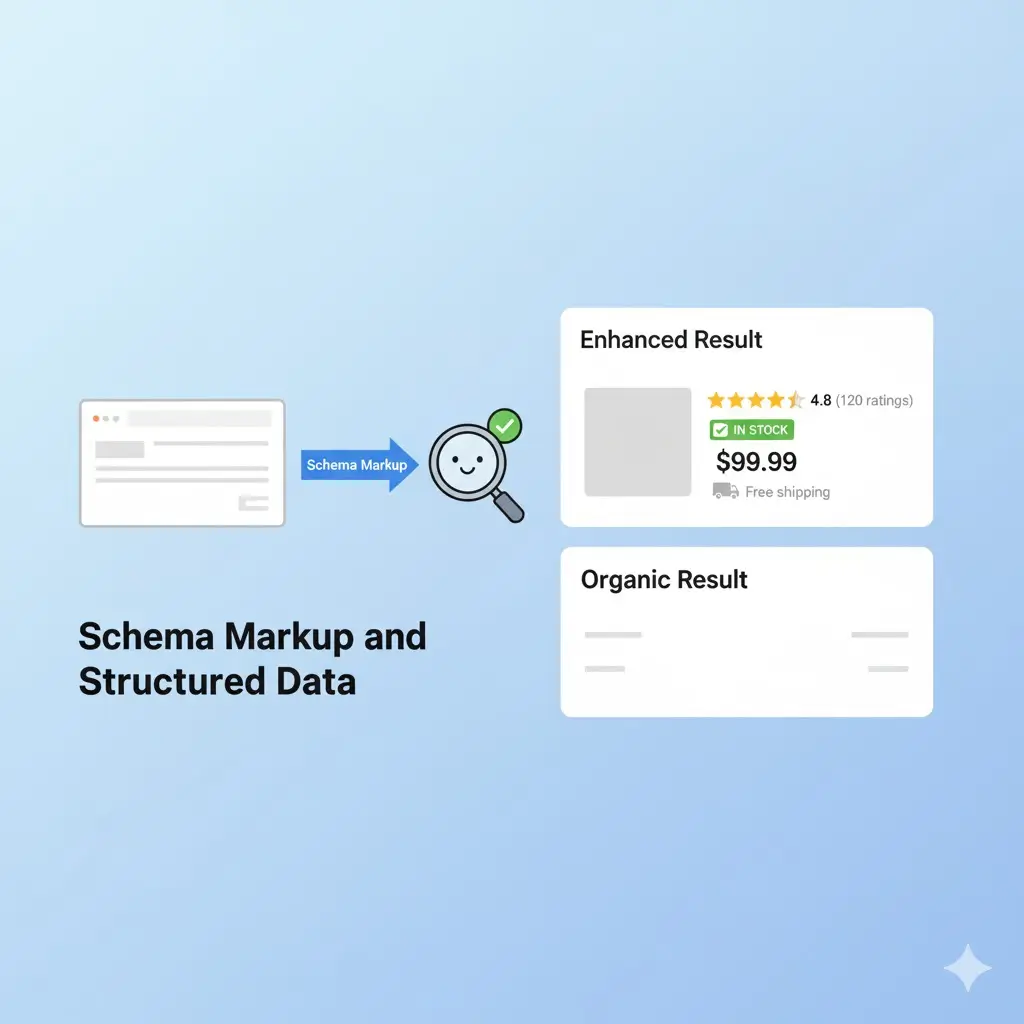
Structured data helps search engines understand the content of your Shopify store and can enhance your listings in search results with rich snippets. Implementing schema markup can improve how products, reviews, and other information appear, increasing visibility and click-through rates.
Start by adding Product schema to your product pages. This can include price, availability, ratings, and reviews. For stores that publish blog content or FAQs, adding Article or FAQ schema ensures search engines can interpret and display these sections correctly.
Use tools such as Google’s Structured Data Testing Tool or Rich Results Test to verify that your schema is implemented correctly. Ensure that each page has accurate and up-to-date structured data, and avoid duplicating or mislabeling information, as errors can prevent rich results from appearing.
7. Build Quality Backlinks to Strengthen Authority
Backlinks from reputable websites signal to search engines that your Shopify store is trustworthy and relevant. For new stores, earning high-quality backlinks can improve domain authority and help pages rank higher in search results.
Focus on acquiring links from websites relevant to your niche. Guest posting on industry blogs, collaborating with influencers, or partnering with complementary brands can generate backlinks that bring both SEO value and targeted traffic. Avoid low-quality or spammy link sources, as these can harm your site’s credibility.
Create content that naturally attracts links, such as guides, tutorials, or original research. Sharing useful resources and engaging with your online community encourages others to reference your store. Keep track of your backlinks using tools like Ahrefs or SEMrush to monitor link quality and identify new opportunities.
8. Optimize for Local SEO if Applicable
If your Shopify store serves a specific city or region, local SEO can help potential customers find you more easily. Start by creating or claiming your Google Business Profile, ensuring your store name, address, and phone number (NAP) are accurate and consistent across all platforms.
Include location-specific keywords in your product descriptions, page titles, and meta descriptions. Encourage satisfied local customers to leave reviews, as positive feedback improves trust and can influence local search rankings.
Citations from local directories, industry associations, or community websites also strengthen your store’s presence in local search results. Regularly monitor your local listings to maintain accuracy and respond promptly to customer reviews.
9. Encourage User-Generated Content
User-generated content (UGC) can significantly enhance your Shopify store’s credibility and SEO. Reviews, testimonials, photos, and videos created by customers provide fresh content that search engines value while also building trust with potential buyers.
Encourage customers to leave reviews on product pages. You can offer incentives such as discounts or loyalty points to motivate submissions. Highlight customer photos and videos on your product pages or social media channels, or turn them into engaging posts using a social media post maker to maximize reach and engagement.
Incorporate UGC into your blog content or product descriptions where appropriate. For example, include quotes from reviews or feature customer stories to create engaging, authentic content. Monitoring and responding to UGC also signals to both search engines and users that your store is active and responsive.

10. Track, Analyze, and Continuously Optimize
SEO is not a one-time task; it requires ongoing attention and adjustments. Regularly reviewing your Shopify store’s performance helps you identify what is working and where improvements are needed. Use tools such as Google Analytics and Shopify’s native reports to monitor metrics like organic traffic, bounce rates, conversion rates, and page performance.
Focus on pages or products that are underperforming. If certain product pages receive traffic but few conversions, update descriptions, images, or calls-to-action to better meet customer needs. Similarly, analyze which blog posts drive traffic and adjust content or internal links to guide visitors toward relevant products.
Continual optimization ensures that your store adapts to changing search trends and customer behavior. Establish a regular schedule to review analytics, implement changes, and measure results, creating a cycle of improvement that enhances your store’s visibility and performance over time.
Final Thoughts
Your Shopify store can reach its full potential when SEO practices are applied consistently. Optimizing product pages, creating relevant blog content, and integrating user feedback all contribute to better search visibility and a more engaging shopping experience.
Regularly reviewing your store and updating content allows you to respond to changes in search trends and customer behavior. Improving meta titles, product descriptions, and on-page elements gradually strengthens your store’s performance in search results.
Using SEOpilot AI helps streamline these improvements by providing suggestions for meta titles, meta descriptions, and on-page SEO, ensuring your store stays optimized. By implementing these practices steadily, you can increase organic traffic and create long-term growth for your Shopify business.