
Are you running an online store on the Shopify platform but struggling to get enough traffic? Or perhaps someone has been searching for your products, but can’t find them on Google? Many people are in the exact same situation. Many store owners mistakenly believe that a well-designed store is enough to gain visibility. But what you also need is good traffic to the store, which is best obtained through SEO.
Nearly 30% of U.S.-based online stores are built on the Shopify platform, making it the most popular eCommerce solution in the country. If your store doesn’t rank on Google, you’re missing out on valuable potential customers.
This guide will walk you through Shopify SEO best practices for 2025 and beyond. These tips will be very simple to follow. So start applying them, and you will get improved traffic, sales, and overall success.
Why SEO Is Crucial for Shopify Stores?
Running a Shopify store without SEO is like setting up shop in the middle of a desert; no one will find you. Search Engine Optimization is the method that allows people to find and access your store online. It is a free way to bring visitors to your site, which means you do not need to rely on ads.
In 2025, online shoppers are more informed and intentional in how they search. Customers often turn to Google to search for what they need, be it a specific item or just browsing around. In case your Shopify store is not ranked on the first page, chances are that you will never be able to get noticed by the majority of shoppers. In fact, over 90% of users never go beyond the second page of Google search results.
A good SEO strategy allows a Shopify store to be ranked higher on the SERP and thus increases click, visit, and purchase rates. SEO builds trust as well, because users tend to trust online stores they find through organic search.
SEO is an advantage for almost every online store. It’s all about making your online store user-friendly, fast-loading, and easy to navigate. It is critical to follow solid Shopify SEO best practices to achieve long-term success.
Built-In SEO Capabilities of Shopify
Shopify offers built-in tools that help online stores optimize their content for better search engine rankings. The following SEO aspects are done for you:
- In Shopify stores, canonical tags are automatically created for every page, safeguarding against duplicate content.
- Shopify stores automatically generate sitemaps and a robots.txt file.
- Shopify themes automatically include the store name in title tags.
- All Shopify themes include social sharing and linking features for easier promotion.
- SSL certificates, which greatly increase security and ranking, are by default activated for the store.
Store owners can also optimize their site content using Shopify’s built-in tools. They can customize the page, title tags, meta description, and blogs
Store owners can customize the missing alt text of images. These features offer a solid starting point. From there, applying proven Shopify SEO best practices can help improve your rankings even further.
10 Tips to Optimize Your Shopify Store for Search Engines
Below are 10 actionable tips to increase the search visibility of your Shopify store.
1. Conduct Keyword Research That Aligns With Buyer Intent
Identify the exact search phrases your potential customers use when looking for products like yours. You can use Google Keyword Planner, Ahrefs, or SEMrush. Specific keyword phrases like ‘vegan leather wallet’ are more effective than broad terms like ‘wallet. Equally important, review what Google displays in the results for each keyword.
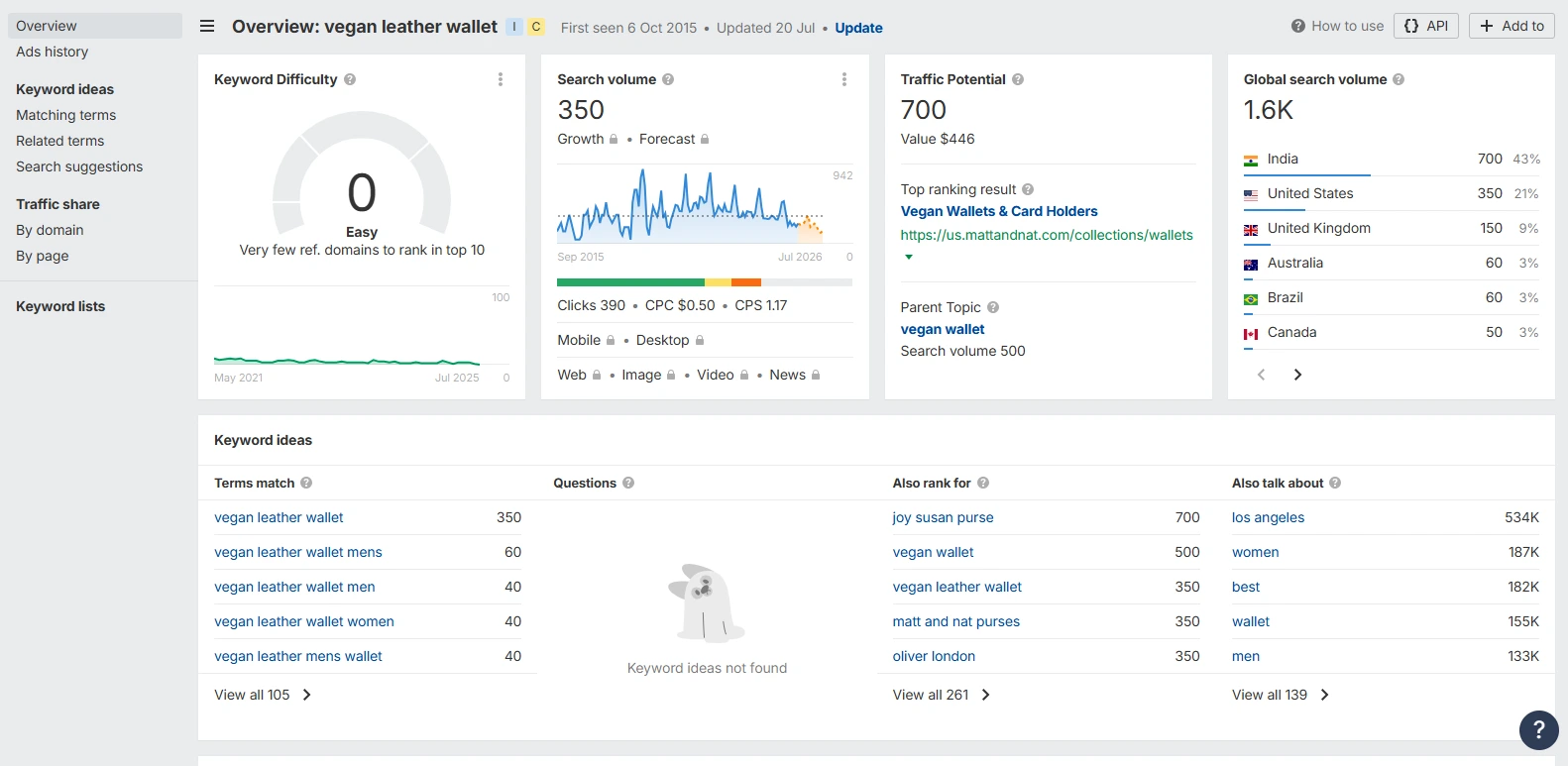
Is it a product or collection page, or a blog page? That shows you whether the user is in a buying or learning phase. This helps gauge the user’s intent and allows for better content optimization. If you pair the right keywords with buyer intent, you can create more tailored product pages that appeal to the right customers.
2. Optimize Page Titles, Meta Descriptions, and URLs
Keep titles under 60 characters, place the main keyword near the beginning, and include a call to action like ‘Shop Now’ or ‘Buy Today. Meta descriptions should entice users and be within 150-160 characters. Use clean, lowercase URLs with hyphens, such as /products/green-leather-wallet.
The aim is to appeal to search engines and customers alike. Users are more likely to engage with and click an optimized title and meta description, which in turn improves click-through rate and SEO.
What if your Shopify store has thousands of products? It’s hard to keep all titles, meta descriptions, and URLs optimized without spending hours. SEOpilot AI helps by automatically generating SEO-friendly titles, meta descriptions in bulk. You can include your main keywords, keep everything consistent, and save a ton of time
3. Improve Product and Collection Page Content
Make sure each product has a distinct description. Aim for over 200 words per product page, more if possible, to provide detailed, unique content. For collection pages, include at least 50 words of visible content above the fold. Use ‘read more’ toggles to expand content without disrupting the product layout. This can boost SEO without harming user experience.

This also aligns with Shopify product page SEO best practices. Enhance user experience and conversion rates by highlighting product benefits, features, and practical use cases. Quality content is essential for Google to rank and for customers to have enough information needed to make a purchase.
Large Shopify stores often struggle to provide unique content for every product. SEOpilot AI’s AI-powered content generator writes detailed, original descriptions that highlight features, benefits, and practical use cases. Each page becomes informative and engaging, helping customers make confident purchase decisions while boosting your SEO.
Many Shopify stores keep collection page content short, which is a good practice for usability. But if you’d like to include more descriptive text, such as brand story, style guides, or detailed category insights. It’s best to place it below the product grid. This way, your page remains clean and easy to browse, while still giving search engines extra content to crawl. It’s a simple but effective way to strengthen SEO without overwhelming your customers at first glance.
4. Compress and Optimize Images for Speed and SEO
Rename image files using relevant keywords and hyphens, such as vegan-leather-wallet.jpg. Use descriptive alt text that accurately reflects the image content and includes keywords where appropriate. Compress images and use next-gen formats like WebP or AVIF to reduce file size without sacrificing quality. Enable lazy loading so that images only load as users scroll down the page.
This ensures faster load times and a more seamless shopping experience. Optimized images improve page speed, SEO performance, and accessibility for all users, including those using screen readers.
|
Optimize Images Automatically without Losing Quality! SEOpilot AI can automatically optimize your product images, generate SEO-friendly file names, and add descriptive alt text. .myshopify.com |
5. Enhance Your Store’s Site Architecture and Navigation
Keep your site navigation simple and focused. Limit the main menu to 5–7 essential links, and organize categories in a logical hierarchy. Use breadcrumbs so users and Google can easily follow the navigation path. If your store has a large inventory, create collections based on product type, color, style, or other relevant filters.

Having organized navigation boosts a site’s usability, making it more helpful for visitors to find what they are looking for. Google also benefits from well-defined routes for more effective indexing, leading to better rankings.
6. Set Up 301 Redirects and Avoid Broken Links
When changing or removing pages, set up 301 redirects to avoid 404 errors. This helps to maintain engagement and SEO rankings. In Shopify, you can create redirects manually or upload them in bulk using specialized apps.
Redirects help retain SEO equity by passing ranking signals from old URLs to new ones. Use Screaming Frog or Ahrefs to identify and fix broken links so the site remains error-free and user-friendly.
7. Launch and Maintain a Blog for Content Marketing
Your blog can help answer information-related queries and direct customers to your product pages. Create topic clusters by linking a central blog post to several related articles. Interlink posts naturally to improve navigation and SEO. This improves your site structure and builds authority.
Blogging drives organic traffic and supports internal linking to product and collection pages. A well-maintained blog supported by visual content created with an AI video generator positions your store as an authority in its niche, builds customer trust, and improves conversion rates.
8. Implement Structured Data for Rich Snippets
Use JSON-LD schema markup to inform Google about key product details like price, stock availability, and customer reviews. Structured data increases your chances of appearing in rich snippets on search results pages.

These enhanced listings display price, availability, and reviews, making your results more noticeable to shoppers. Rich Snippets can improve visibility, increase click-through rates, and attract more customers, potentially leading to higher sales.
9. Improve Core Web Vitals and Mobile Performance
Over 60% of traffic comes from mobile devices, making mobile optimization critical. That’s why Google has switched to mobile-first indexing and ranks sites based on their loading speed and layout stability. Use Google PageSpeed Insights and Shopify’s built-in speed reports to evaluate performance. Remove heavy apps, compress images and scripts, resolve layout shifts, and eliminate loading delays.
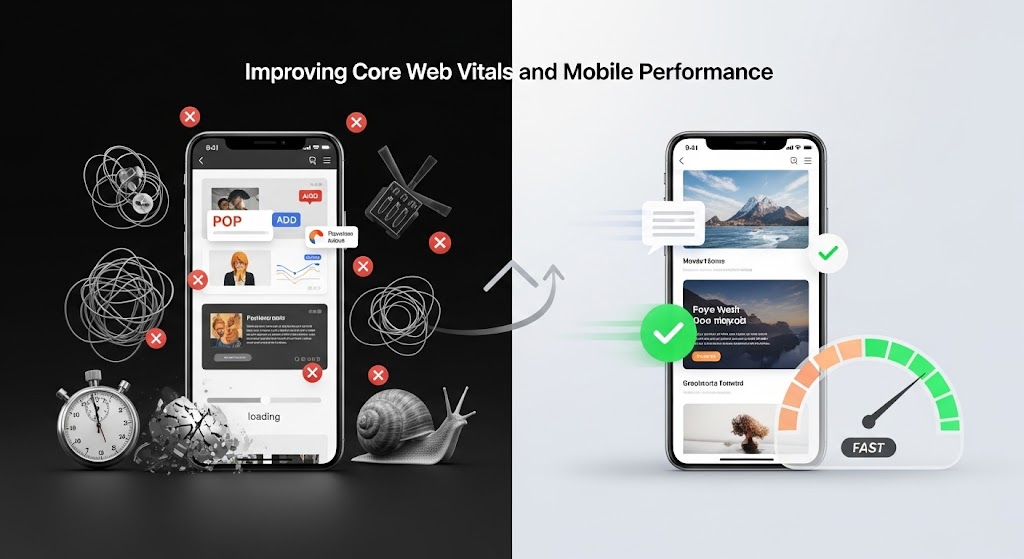
Mobile optimization improves user experience, increases engagement, and reduces bounce rates. Google also ranks websites with faster loading times, mobile optimization, and greater user engagement, so you get an SEO advantage
10. Build Backlinks to Your Shopify Store
Earn high-quality backlinks from reputable sources such as guest blogging platforms, industry influencers, and authority websites, as they will add credibility to your store. You can also fix broken links on other sites and request the owners to link to you instead.
Internal links also play a key role in spreading link equity across different pages of your store. Backlinks signal to Google that your store is credible and trustworthy, which improves its chances of ranking higher in search results. High-quality backlinks also drive referral traffic and help attract new potential customers.
Final Words
By following these Shopify SEO best practices for 2025, your store can rank higher in search results, drive more qualified traffic, and increase conversions. SEO isn’t just a one-time setup; it’s an ongoing effort that involves optimizing content, improving site speed, refining keywords, and building backlinks.
If you’re looking for a faster, smarter way to manage it all, SEOPilot AI is built just for you. Our accuracy-tested Shopify app empowers store owners with automated SEO tools, personalized recommendations, and real-time insights, with no complex setup required. Whether you’re just starting out or scaling your business, SEOPilot AI helps you simplify SEO, grow traffic, and boost sales directly from your Shopify dashboard.
Add SEOPilot AI to your store today and take the guesswork out of ranking on Google.